
A claim can look complete in the practice management system and still contain errors that interrupt processing. An incorrect member ID, inactive coverage on the date of service, a provider identifier that does not match enrollment records, an unsupported modifier, or missing authorization details can send work back to the billing team. A medical billing clean claim checklist gives staff a consistent pre-submission control and clarifies who verifies patient, provider, coding, and payer information.
A pre-submission audit does not guarantee payment. It checks whether a claim is accurate and ready for the next step in the payer’s process. This guide covers seven review areas, distinguishes front-end rejections from adjudicated denials, and provides a sample audit form and improvement measures. Use the medical billing clean claim checklist as a repeatable process, then tailor it to the payer, specialty, claim type, and services your practice bills.

Medical Billing Clean Claim Checklist: What a Clean-Claim Audit Covers
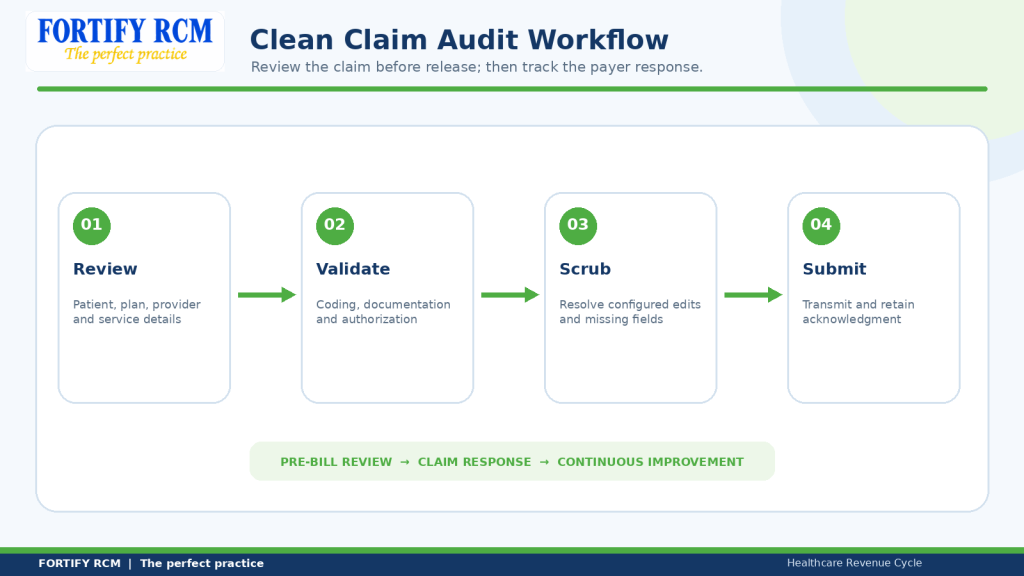
A clean-claim audit checks claim data before submission. Under Medicare, a clean claim generally does not require outside information gathering before payment processing. Commercial plans and Medicaid may use different definitions, so a medical billing clean claim checklist should identify the payer context.
| Stage | What it means | Next action |
|---|---|---|
| Front-end / file rejection | File fails a transaction or format edit | Review acknowledgment, correct file, resubmit as instructed |
| Claim-level rejection | Individual claim fails an intake or implementation-guide edit | Correct the affected claim and follow payer instructions |
| Adjudicated denial | Payer processes the claim but does not approve payment in whole or part | Review remittance reason; correct, appeal, or follow payer direction |
For Medicare electronic claims, CMS describes file-level edits, claim-level edits, and coverage or payment-policy edits. Later edits can result in rejection or denial. A medical billing clean claim checklist reduces intake errors but does not replace post-submission review.
Do not appeal a front-end rejection as an adjudicated denial or resubmit a claim still being processed. Identify the response type first. See CMS electronic health care claims guidance and Fortify RCM’s claims submission and payment posting workflow.
Record the response type in the medical billing clean claim checklist.
Verify Patient, Subscriber, Coverage, and Payer Data
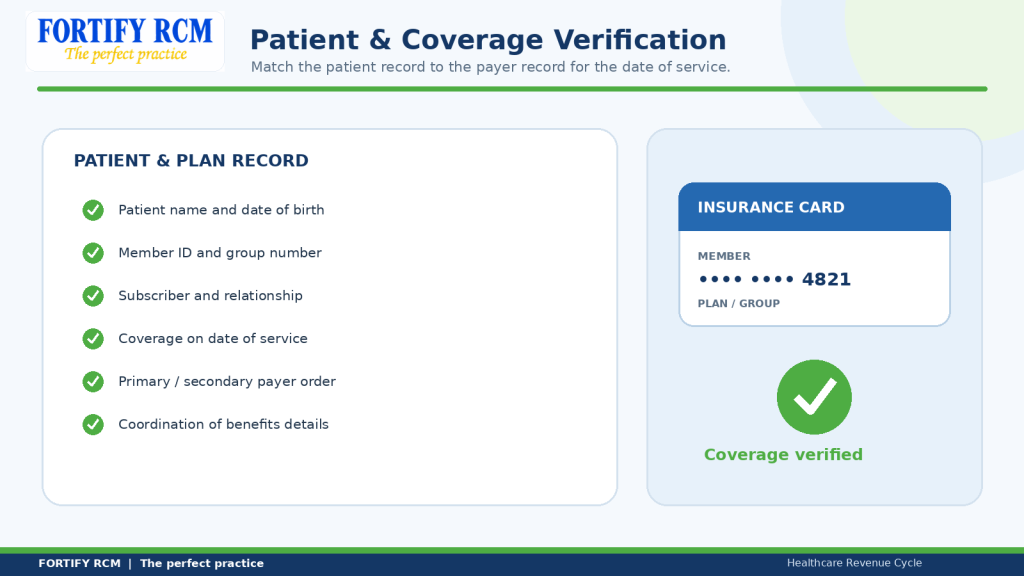
A medical billing claim audit verifies patient and insurance details against reliable records. Coverage is date-sensitive, so the medical billing clean claim checklist should record the source and service-date evidence.
Patient and coverage checks
-
Confirm the patient’s legal name and date of birth against the payer’s member record.
-
Verify member ID, group number, plan name, and payer identifier where applicable.
-
Confirm subscriber name and the patient’s relationship to the subscriber.
-
Check coverage on the service date and identify primary / secondary coverage.
-
Record the eligibility inquiry date, response, and unresolved limitations. Keep the payer response with the medical billing clean claim checklist.
The 270/271 pair supports electronic eligibility inquiries. A response is not a payment guarantee or a substitute for authorization. The medical billing clean claim checklist should distinguish the two.
| Example issue | Why it matters | Corrective action |
|---|---|---|
| Member ID transposed | Payer may not match the member | Recheck card / payer response and correct record |
| Coverage ended before service date | Claim may route to an inactive plan | Verify date-specific coverage and other payer options |
| Subscriber or payer order incorrect | Claim or secondary billing may be misrouted | Confirm subscriber, relationship, and COB order |
Fortify RCM’s eligibility and benefits verification service supports this upstream step; it does not replace the medical billing clean claim checklist.
Validate Billing Provider, Rendering Provider, NPI, Taxonomy, and Location
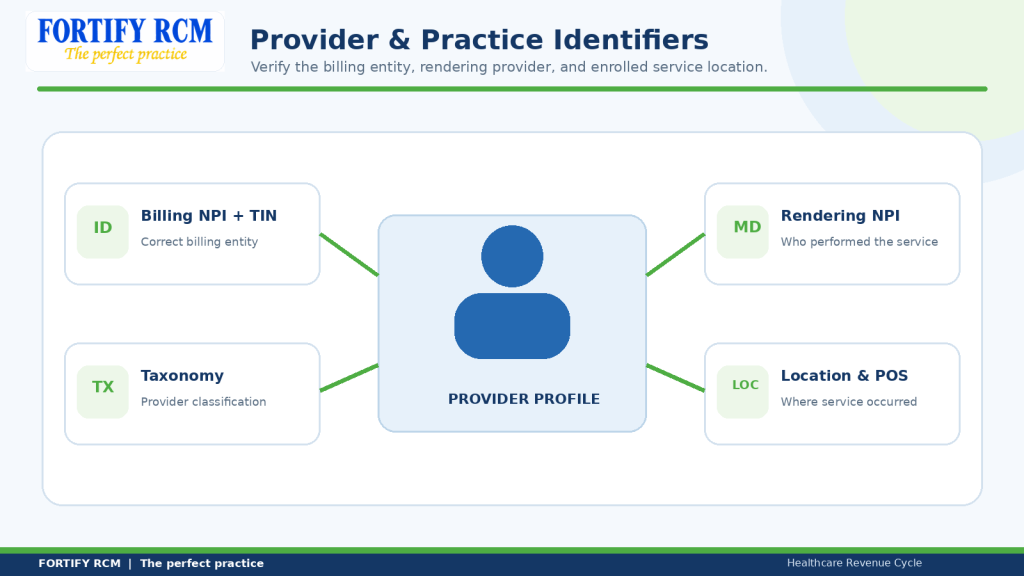
Provider data must match the billing arrangement, service, and payer enrollment. A group may bill under its organizational identity and identify the individual rendering clinician. The medical billing clean claim checklist should distinguish these roles.
A claim submission checklist should verify billing name, billing and rendering NPIs, TIN, taxonomy, service location, place of service, referring or ordering provider details, and payer enrollment status.
CMS explains that taxonomy codes identify provider classification and specialization and are used in NPI applications. Review CMS taxonomy guidance and provider enrollment resources. A valid NPI alone does not confirm every payer or location requirement. Include these checks in the medical billing clean claim checklist.
| Example issue | Compare | Corrective action |
|---|---|---|
| Rendering NPI mismatch | Encounter record and provider roster | Confirm clinician and correct rendering field |
| Billing NPI not contracted entity | Payer enrollment record and contract | Confirm correct billing entity |
| Taxonomy / location conflict | NPPES, payer setup, facility record | Validate taxonomy, service location, and POS |
Do not change identifiers just to clear an edit. Route uncertain cases to enrollment, coding, or the billing supervisor and record who approved the correction. Use the medical billing clean claim checklist to compare submitted identifiers with the enrollment source before release.
Record enrollment status in the medical billing clean claim checklist for new clinicians.
Review Diagnosis, Procedure Codes, Modifiers, Units, and Documentation
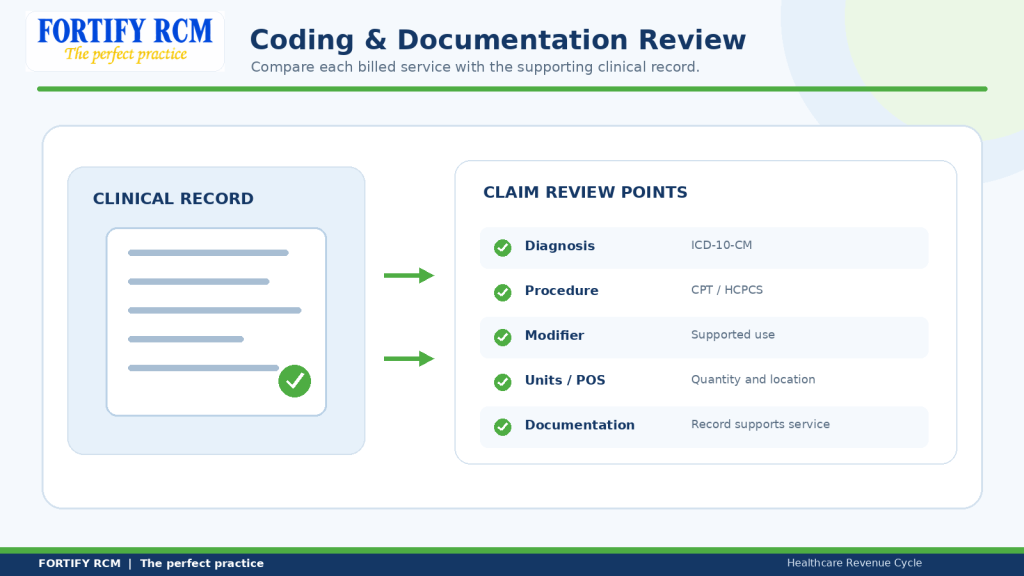
Coding review and claim scrubber edits help confirm that the record supports the reported service and that claim fields are consistent. Follow current code sets and payer rules. Billers should not change a diagnosis or add a modifier merely to bypass an edit; route questions through the medical billing clean claim checklist to qualified staff.
| Audit point | What to compare | Possible mismatch |
|---|---|---|
| Diagnosis / procedure | Signed record and ICD-10-CM, CPT, or HCPCS code | Code does not describe documented service |
| Modifier | Payer guidance and service facts | Modifier is missing or unsupported |
| Units / POS | Time, quantity, actual location | Billed units or POS do not match record |
| Documentation | Signed note, order, report, required attachment | Supporting record is missing or incomplete |
Example: A therapy claim reports units that the signed note does not support under payer rules. Do not guess or change them. Hold the claim, route it to a qualified reviewer, obtain clarification if needed, and document the resolution in the medical billing clean claim checklist.
For professional claims, see CMS-1500 professional paper claim form guidance. Electronic professional claims generally use the HIPAA 837P transaction. The AMA physician guide to revenue cycle management discusses claim preparation and monitoring after submission. Record the coding reviewer and source supporting each change in the medical billing clean claim checklist.
Route unsupported fields through the medical billing clean claim checklist for qualified review.
Confirm Authorization, Referrals, Attachments, and Payer-Specific Edits
Authorization rules depend on plan, payer, service, provider, and sometimes site of care. Unresolved requirements can cause medical billing errors, so verify the rule rather than assuming it based on a similar paid claim. The medical billing clean claim checklist should include payer-specific checks.
Before release, confirm authorization or referral requirements. Match the number, service, units, provider, location, and dates to the approval; identify required records; use the payer’s attachment channel; and hold unresolved discrepancies.
| Example issue | Verify | Likely owner |
|---|---|---|
| Authorization dates do not cover service date | Approval period and date of service | Authorization team |
| Approved service differs from billed service | Approval and encounter details | Authorization / coding |
| Required attachment unavailable | Payer instructions and record status | Clinical documentation team |
| Payer edit unclear | Current payer policy and edit description | Billing supervisor |
Maintain a payer matrix with plan, service, authorization rule, attachment requirement, claim channel, edit, effective date, source, and owner. Assign an update owner so the medical billing clean claim checklist reflects the current payer mix.
Record the payer source and effective date in the medical billing clean claim checklist.
The medical billing clean claim checklist should make each unresolved authorization item visible to the assigned owner.
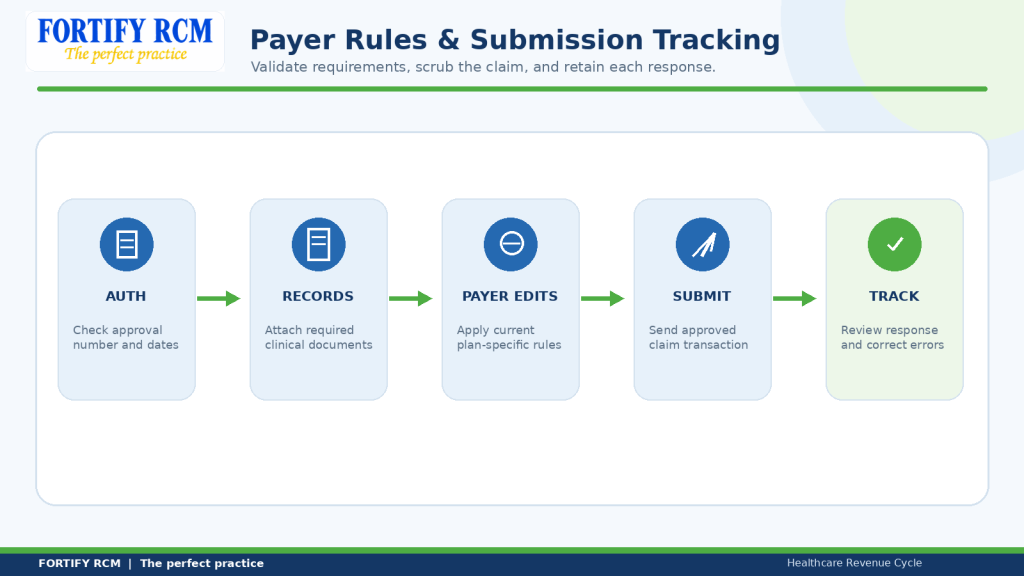
Pre-Billing Audit: Scrub, Submit, Track, and Improve the Workflow
End the audit with a decision: pass, correct, hold, or escalate. After transmission, review acknowledgments and claim status instead of assuming a sent file was accepted. A medical billing clean claim checklist should cover both pre-bill review and submission evidence.
Recommended workflow
-
Prepare: Complete registration, eligibility, charge entry, and documentation.
-
Validate: Check patient, payer, provider, coding, authorization, and service details.
-
Scrub: Run configured edits and resolve or document warnings.
-
Transmit: Submit through the clearinghouse or payer channel.
-
Review and track: Check file- and claim-level responses, retain submission time, and verify claim status.
-
Improve: Categorize repeat errors, update payer guidance, and coach staff.
CMS’s March 2026 claim-status fact sheet explains Medicare 999 and 277CA acknowledgments. The edit levels can take up to three days; resubmitting during editing can create a duplicate. Other payers may differ.
CMS describes the 276/277 pair in its claim-status guidance. Its standard transactions guide identifies 837P and related eligibility, claim-status, acknowledgment, and remittance transactions.
Sample Pre-Billing Audit and Claim Accuracy Checklist
| Audit item | Result | Evidence / note | Owner |
|---|---|---|---|
| Patient and coverage | Pass / Fail / N/A | Eligibility response | Registration |
| Provider identifiers | Pass / Fail / N/A | NPI, taxonomy, enrollment | Enrollment / billing |
| Coding and documentation | Pass / Fail / N/A | Note and coding review | Coding |
| Authorization / attachments | Pass / Fail / N/A | Payer response / record | Authorization / billing |
| Scrubber and submission | Pass / Fail / N/A | Edit log, timestamp, acknowledgment | Biller |
Track clean-claim rate, front-end rejections, corrected claims, repeat errors, pre-bill holds, and correction time. HFMA’s MAP Key CL-1 defines clean-claim rate as claims passing configured edits without manual intervention divided by claims accepted into the billing tool. This differs from payer acceptance or first-pass payment. Document the formula, source, and exclusions in the medical billing clean claim checklist; see HFMA MAP Keys. Compare trends by payer and specialty.
Fortify RCM’s revenue cycle management services and services overview support eligibility, submission, payment posting, AR, and denial management. For post-adjudication denials, see the related guide on reducing medical claim denials. The medical billing clean claim checklist should connect to, not replace, later follow-up. Small practices comparing retained tasks with outside support can also read Fortify’s guide to medical billing services for small practices for service-scope context.
Log the submission timestamp and acknowledgment ID in the medical billing clean claim checklist. Supervisors can sample records and compare recurring errors by payer and service.
Specialties We Serve
Behavioral health claims may need closer review of authorization and time documentation, while therapy, home health, DME, and physician claims involve different coding and payer requirements. Fortify RCM supports these specialties, so the medical billing clean claim checklist should reflect the actual service and payer context.
Mental Health Providers
Credentialing and billing for psychologists, therapists, counselors, and social workers in private or group practice.
Nutritionists & Dietitians
Specialized RCM and credentialing support for MNT providers, licensed dietitians, and wellness nutritionists.
Occupational Therapists
End-to-end billing and enrollment services for pediatric and adult OT clinics and independent therapists.
Non-Emergency Medical Transportation (NEMT)
We handle Medicaid credentialing, EDI setup, and claims billing for NEMT providers.
Home Health Agencies
Complete RCM services tailored for HHAs including Medicare credentialing, OASIS billing, and claims management.
Skilled Nursing Facilities (SNFs)
Credentialing, billing, and AR support for SNFs—compliant with payer-specific guidelines and long-term care needs.
Applied Behavior Analysis (ABA)
We support ABA therapy providers with credentialing, insurance billing, authorization and appeals for denied behavioral health claims.
Chiropractors & Physical Therapists
Credentialing and billing help for musculoskeletal therapy, rehab clinics, and solo practitioners.
Durable Medical Equipment (DME) Providers
We handle Medicare/Medicaid credentialing, EDI setup, and claims submission for DME suppliers.
Nurse Practitioners & Physician Assistants
Complete credentialing and billing support for NPs & PAs operating independently or in group practices.
Dentists & Oral Health Providers
Support with dental insurance credentialing and claims processing for general dentists and specialists.
Vision & Eye Care Specialists
Credentialing and RCM services for optometrists, ophthalmologists, and vision therapy providers.
FAQs
1. What is a medical billing clean claim checklist?
It is a pre-submission review of patient, provider, coding, documentation, authorization, and payer details, with clear owners and evidence.
2. Does a clean claim guarantee payment?
No. Payers still evaluate benefits, coverage, medical necessity, contract terms, and coding. The checklist improves readiness, not payment certainty.
3. What is the difference between a rejected claim and a denied claim?
A rejection generally fails an intake edit; a denial generally follows adjudication. Check the payer response because terminology varies.
4. What should be checked before submitting a medical claim?
Check demographics, date-specific coverage, provider identifiers, codes, modifiers, units, POS, authorization, records, attachments, payer edits, and scrubber results.
5. Can claim-scrubbing software replace manual review?
No. Software flags configured edits, but staff must review clinical support, authorization details, unusual claims, and payer exceptions. Use it within the medical billing clean claim checklist.
6. How often should a practice perform pre-billing audits?
Apply checks to each claim and sample audits periodically. Increase review after provider or system changes, new services, or repeat errors; set frequency by risk and volume.
Use the medical billing clean claim checklist to identify the next operational step.
Improve Claim Quality Before Submission with Fortify RCM
Repeated corrections consume staff time and interrupt billing workflows. A documented review needs clear roles, payer guidance, accurate data, and submission follow-up. Fortify RCM supports eligibility, claims submission, payment posting, denial management, and AR follow-up through its claims submission and payment posting services.
If your practice experiences repeated claim edits, inconsistent reviews, or difficulty tracking payer acknowledgments, discuss a workflow review with Fortify RCM. Identify where checks, ownership, or reporting need improvement; the goal is not to promise a particular reimbursement result.