Opening a medical practice involves more than preparing an office. Before claims move through payer systems, the practice needs accurate provider and location data, applicable payer approvals, connected billing technology, and repeatable front-desk and clinical workflows.
For owners researching outsourced RCM for new medical practice support, this checklist explains what to prepare, how enrollment differs from billing activation, which systems must connect, and what to monitor during the first month.
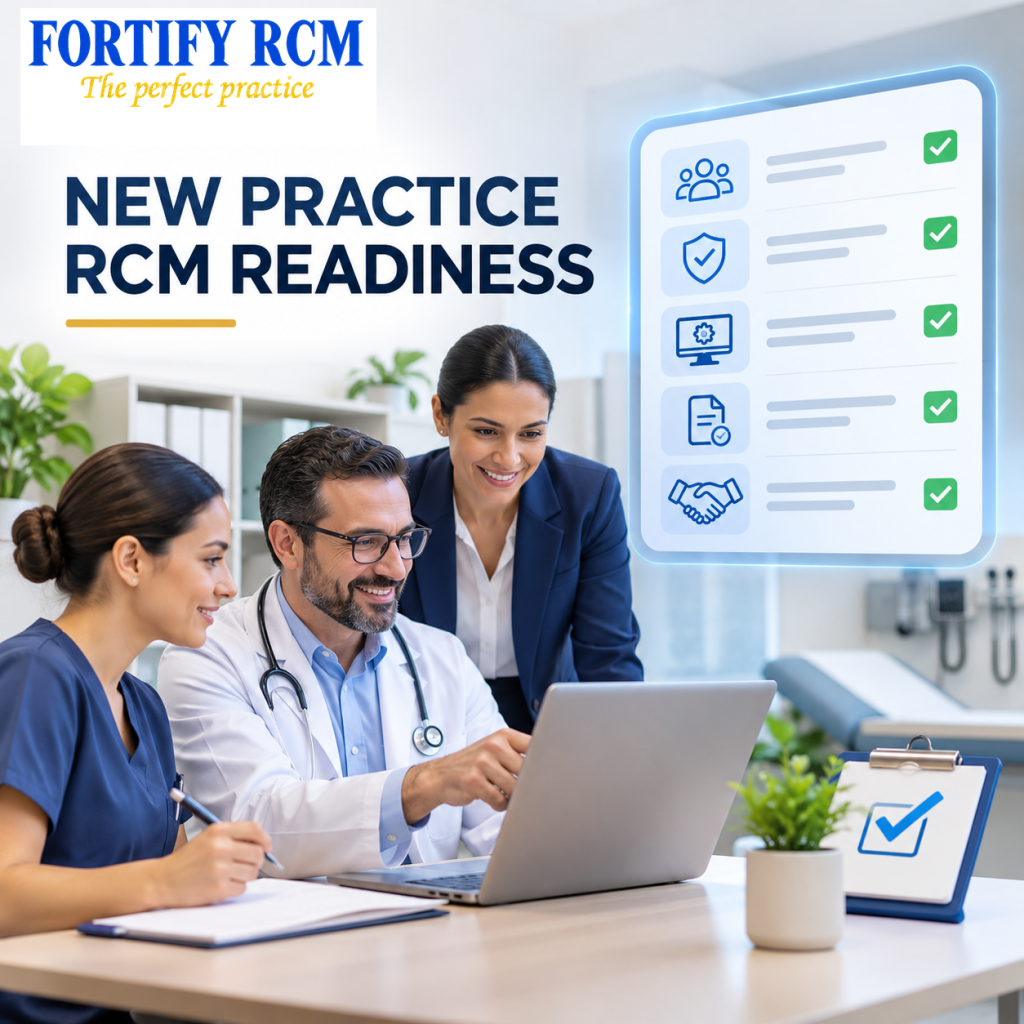
New-Practice Readiness: What Must Be in Place Before Billing Begins?
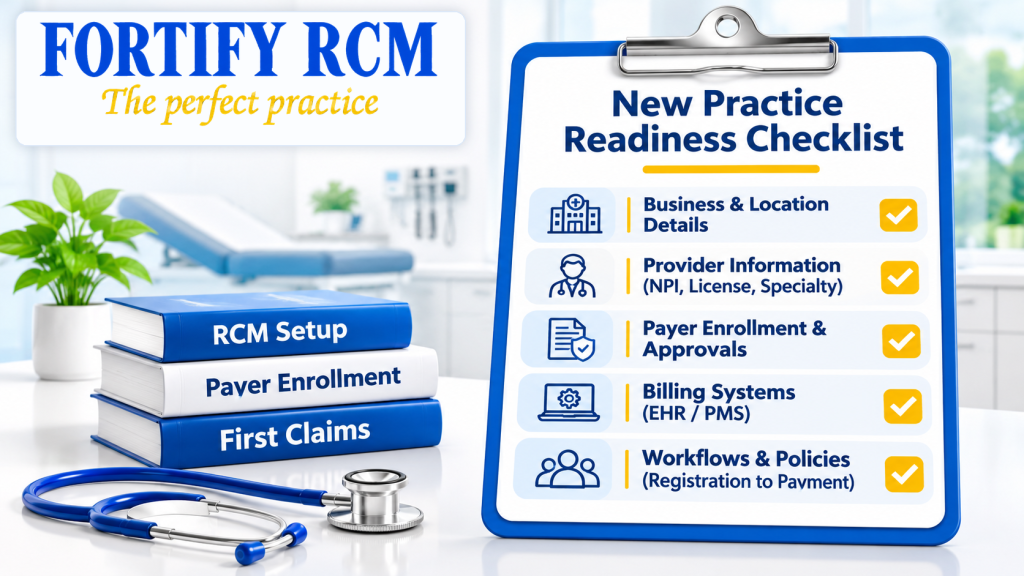
Start with one approved source of truth for legal, tax, provider, location, payer, and operational data. Conflicting names, tax details, or addresses can make claim configuration unreliable. Assign a practice owner to approve records and communicate changes. A clear outsourced RCM for new medical practice setup starts with accurate information.
Confirm the business and location details
Prepare the legal business name, entity type, tax information, authorized contacts, correspondence and billing addresses, service location, phone number, and opening date. Confirm state, professional, and facility requirements for the provider type; these vary by practice model.
Keep service, mailing, and remittance addresses distinct. Record each site and its providers separately because location data can affect enrollment, directories, eligibility, authorization, and claims. Include every site in the outsourced RCM for new medical practice readiness tracker; approval for one site does not automatically cover another.
Confirm provider information and policies
For each clinician, assemble the legal name, individual NPI, taxonomy, license, specialty, affiliations, and payer-requested documents. Confirm the organization’s Type 2 NPI and tax details where applicable. CMS explains that an NPI identifies a provider in standard transactions; it does not establish licensure, credentialing, or payer participation in its NPI Fact Sheet.
Prepare a provider roster with role, location, start date, payer status, and access needs. Document registration, insurance-card capture, privacy, appointment, documentation, charge-capture, and correction procedures. This supports a new medical practice billing setup and gives an outsourced RCM for new medical practice checklist a clear record owner and approval trail. Keep the approved information in the outsourced RCM for new medical practice onboarding packet.
Enrollment Versus Billing Readiness: Do Not Confuse Approval With Go-Live
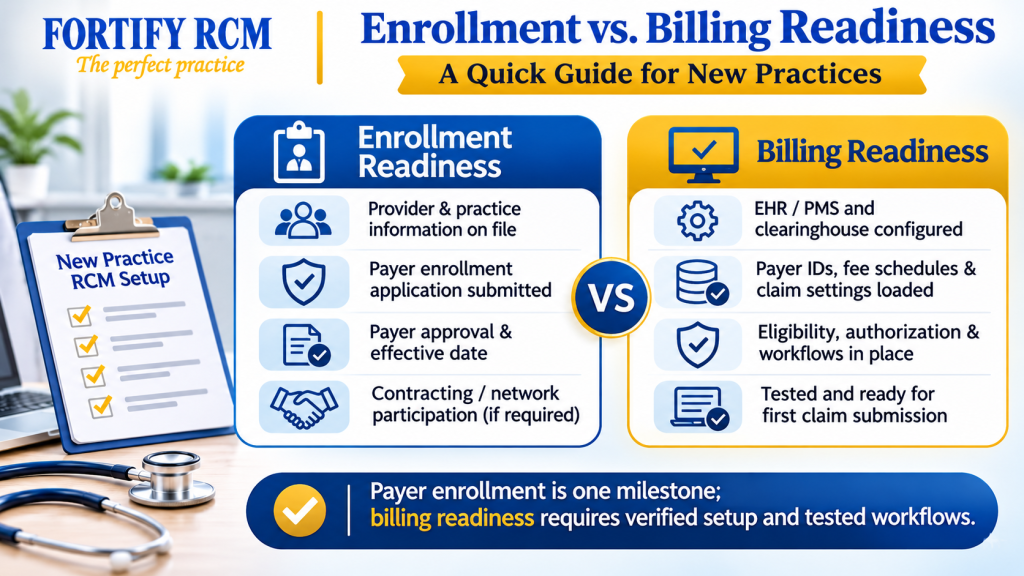
Credentialing, payer enrollment, contracting, and billing activation are related but different. Credentialing reviews qualifications; enrollment establishes or updates provider, organization, or location records; contracting may establish network participation and rates. Billing readiness means payer status, effective dates, claim configuration, and workflows support the services being billed.
Payers may combine steps or use different terms. Track actual status and written confirmation, not simply “submitted.” For outsourced RCM for new medical practice services, distinguish credentialing, enrollment, contracting, roster loading, and billing activation. Fortify’s provider enrollment and credentialing guide explains those milestones; this article connects them to first-claim readiness.
Use a payer-by-payer tracker
Use the RCM startup checklist as a live payer tracker. For each payer and provider/location combination, record application type, submission date, confirmation number, missing documents, credentialing and enrollment status, contract and roster status, effective date, next follow-up, and owner. Do not assume approval for one clinician, tax entity, site, or product covers another.
For Original Medicare, use the appropriate CMS enrollment route and confirm status and effective date with the Medicare Administrative Contractor. See CMS Medicare provider and supplier enrollment. An NPI or receipt alone does not prove active billing privileges for a specific service and location. Save confirmation in the outsourced RCM for new medical practice go-live file.
Medicare, Medicaid, Medicare Advantage, and commercial plans have different rules. Before an in-network claim, confirm the provider, group, tax ID, location, product, and service date fall within the payer’s approval or participation terms. Save confirmation and hold affected claims if details remain unclear; the outsourced RCM for new medical practice workflow must not treat incomplete setup as billing-ready.
Systems and Payer Connections: Build the Technical Foundation
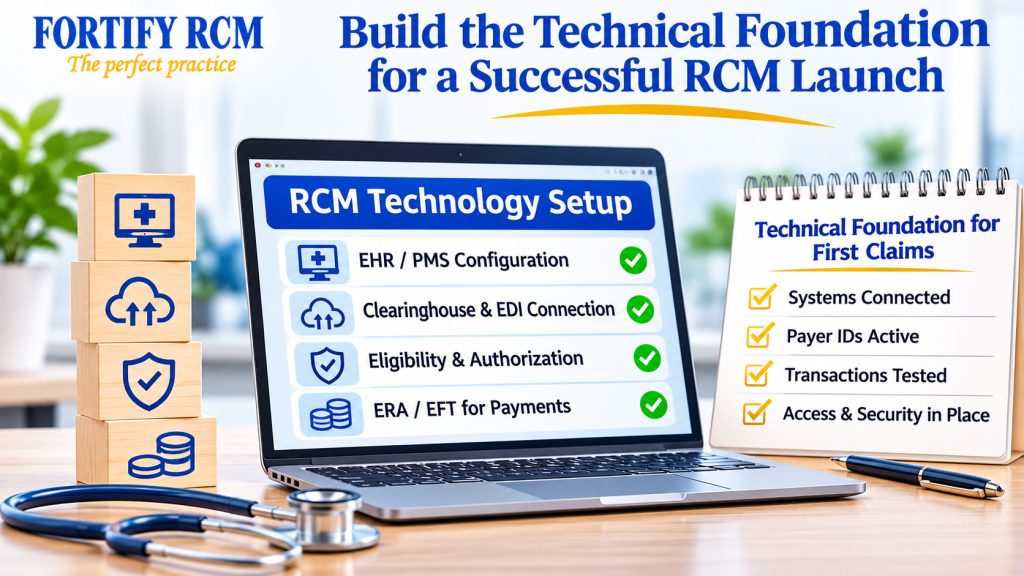
An EHR or practice management system alone does not complete billing setup. Applications, vendor accounts, payer connections, permissions, and transaction workflows must work together. Map where data originates, how claims reach payers, and where remittances return. An outsourced RCM for new medical practice launch needs an owner and evidence for every connection.
Configure the EHR and practice management system
Confirm the EHR supports the specialty, documentation templates, diagnosis and procedure workflows, provider identifiers, and locations. Configure the practice management system with billing and rendering providers, tax ID, payer IDs, fee schedules, place-of-service defaults, and claim settings. Test integrated data transfer for missing or changed fields. This keeps outsourced RCM for new medical practice configuration aligned with the clinical record.
Use individual accounts and role-based permissions. Before sharing PHI, review HHS Business Associate guidance and put a written BAA in place when required. Record access approval and system ownership in the outsourced RCM for new medical practice implementation plan.
Connect the clearinghouse and electronic transactions
Choose the clearinghouse or transaction route, confirm payer IDs, and assign owners for enrollment, testing, rejections, and support. Depending on payer and vendor, transactions may include claims (837), eligibility (270/271), claim status (276/277), and remittance (835). Record active connections and outstanding tests.
For Medicare Fee-for-Service, CMS requires the applicable EDI enrollment agreement before electronic claims or other EDI transactions are submitted, including through a billing service or clearinghouse. See CMS Medicare EDI enrollment instructions. This Medicare requirement does not replace commercial payer instructions. Test connections before outsourced RCM for new medical practice submissions begin.
Medicare eligibility verification has a separate HETS enrollment requirement. Since May 11, 2026, each NPI submitted through HETS for Medicare eligibility verification must have valid EDI enrollment. Check HETS EDI enrollment. This is specific to HETS, not commercial payer portals.
Set up ERA, EFT, fee schedules, and templates
Electronic Remittance Advice (ERA) explains claim adjudication, payments, and adjustments. Electronic Funds Transfer (EFT) moves funds to the provider’s bank account. They are related but separate transactions. See CMS guidance on ERA and remittance advice and Medicare EFT.
Confirm transaction enrollment, payee and bank details, remittance recipients, and ERA mapping. Load fee schedules and effective dates, claim templates, provider/location records, and required edits. Test where supported and retain a log. Track each item in the outsourced RCM for new medical practice implementation plan; an application receipt is not completion evidence.
Front-End and Claims Workflow: Prepare the Patient-to-Payment Process
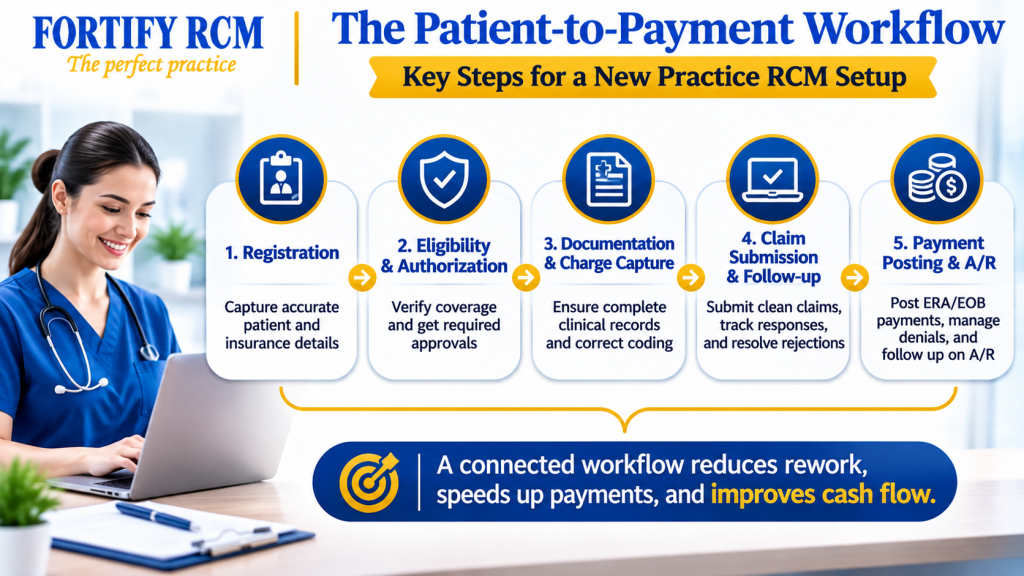
Claims depend on what happens before billing receives them. Incomplete registration, unchecked coverage, missed authorizations, or insufficient documentation create rework. Map scheduling through payment posting and assign an owner to each step in the new clinic revenue cycle setup. For an outsourced RCM for new medical practice workflow, define these handoffs before the first appointment.
Registration, eligibility, and authorization
Create a registration checklist for legal name, date of birth, contact and subscriber details, insurance ID, payer, and coordination of benefits where applicable. Capture readable card images and define how staff handle secondary coverage, self-pay, incomplete data, and duplicate records. Include these checks in the outsourced RCM for new medical practice front-end process.
Eligibility verification checks coverage for a date and service; it does not guarantee payment. Set when checks occur, how results are recorded, and who follows up on inactive or conflicting coverage. Include this process in the outsourced RCM for new medical practice workflow map so front-desk staff know where exceptions go.
For services requiring authorization or referral, record the payer rule, owner, authorization number, approved units or visits, service dates, and limits. Flag missing approvals; authorization does not prove eligibility or payment coverage. The outsourced RCM for new medical practice team should route exceptions to the practice contact before release.
Documentation, charge capture, and claim submission
Define what must be complete before charge release: date of service, rendering provider, diagnosis and procedure codes, units, modifiers, place of service, medical-necessity support, and required records as applicable. Qualified staff must review coding and documentation under relevant requirements. A vendor must not invent clinical details or alter records to bypass edits.
Set charge-capture deadlines and an exception queue for unsigned notes, missing codes, or inconsistent provider/location data. Apply payer edits and review clearinghouse acknowledgments. Separate rejected transactions from accepted claims awaiting adjudication, assign corrections, and retain resubmission history. The outsourced RCM for new medical practice procedure should identify who corrects and releases each claim.
After adjudication, post ERA/EOB payments and adjustments, reconcile EFT deposits, and route denials, underpayments, and unmatched remittances. Define secondary-claim, patient-responsibility, refund, credit-balance, and timely-filing procedures. See Fortify’s Revenue Cycle Management services.
Practice and Vendor Responsibilities: Put Ownership in Writing
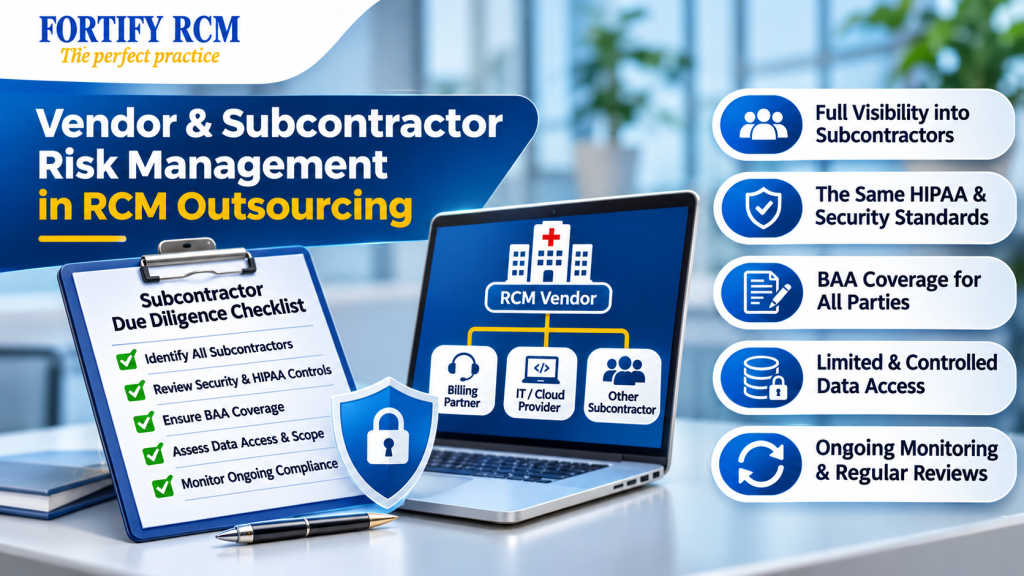
An outsourced RCM arrangement should not rely on informal messages or the assumption that “the billing company handles everything.” The practice supplies accurate information, documentation, approvals, and access decisions; the vendor performs contracted tasks. Put boundaries in writing. The outsourced RCM for new medical practice plan should name every launch owner.
Create a responsibility matrix
| Workstream | Practice responsibility | RCM partner responsibility |
|---|---|---|
| Entity and provider data | Supply and approve legal, tax, NPI, location, and provider information | Configure records and flag inconsistencies |
| Payer setup | Sign or authorize forms and provide requested documents | Coordinate agreed applications and track outstanding items |
| Systems and access | Select systems, approve users, and control permissions | Configure contracted workflows and use authorized access |
| Clinical documentation | Ensure records are complete and signed | Identify billing gaps and return exceptions for correction |
| Claims and follow-up | Resolve clinical or provider questions | Submit claims and monitor responses within scope |
| Payments and reporting | Control bank accounts and review reports | Post remittances, reconcile agreed records, and report open items |
Assign owners for fee schedule updates, bank changes, refunds, write-offs, provider/location changes, claim holds, and payer escalations. The practice may still need to sign forms or authorize transactions. A new medical practice billing setup is easier when both parties use the same responsibility matrix.
Agree on approvals and communication
Name primary and backup practice contacts, vendor implementation and billing leads, and an escalation contact. Set response expectations for missing documents, payer requests, claim holds, outages, and data issues. Record scope, reporting, BAA, data-handling, and termination terms in the agreements.
Review Fortify’s service offerings and confirm which setup tasks are included for your practice and payer mix; do not assume every task is included. Keep approvals in the outsourced RCM for new medical practice project record so both teams can trace decisions.
Use a shared tracker for task, dependency, owner, due date, status, evidence, and next action. Close tasks only when evidence is available.
Go-Live Monitoring: Readiness Sign-Off and the First 30 Days
Use the payer setup record for the final readiness review. Set go-live based on completed dependencies, not the office opening date. Document exceptions and hold claims that could be inaccurate, unauthorized, or premature. The outsourced RCM for new medical practice process should make approval traceable. This is a key milestone for outsourced RCM for new medical practice operations.
Use a dependency-based readiness sequence
| Stage | Checkpoint | Evidence for sign-off |
|---|---|---|
| Practice foundation | Entity, location, provider roster, and contact details confirmed | Approved source-of-truth file |
| Payer readiness | Applicable enrollment, contracting, roster, and effective dates checked | Payer confirmation and tracker |
| Technology | EHR/PMS, clearinghouse, EDI, eligibility, ERA/EFT, and access configured as applicable | Configuration log and test results |
| Workflow | Registration, authorization, documentation, charge capture, review, and posting assigned | Approved workflow and training record |
| Financial operations | Fee schedules, remittance routing, bank details, reconciliation, and reporting owners confirmed | Approved setup records |
| Launch approval | Open blockers assessed, claim holds documented, and contacts confirmed | Practice and RCM lead sign-off |
This is a project-management aid, not a CMS-mandated sequence. Payer rules and services determine what must be complete before a claim is submitted.
Monitor the first month
Review activity frequently during launch—daily at first, then weekly as transactions stabilize. Adjust the cadence for volume, specialty, payer mix, and risk.
Monitor claim acceptance, rejection reasons, pending adjudication, eligibility and authorization exceptions, charge lag, ERA receipt, posting, EFT reconciliation, denials, underpayments, and open A/R. Assign an owner and due date to each exception. In an outsourced RCM for new medical practice launch, review recurring rejection patterns jointly rather than treating each claim as isolated.
Do not measure success only by claims transmitted; they may still be rejected, denied, or paid incorrectly. Review recurring causes and corrective actions. At day 30, document stable connections, delays, training gaps, and ownership changes. The goal is a repeatable process, not merely the first submission.
Healthcare Specialties We Serve
Mental health, ABA, home health, NEMT, DME, and other specialties can have different payer, documentation, authorization, and claim-data requirements. An outsourced RCM for new medical practice workflow should fit the specialty and payer mix.
Mental Health Providers
Credentialing and billing for psychologists, therapists, counselors, and social workers in private or group practice.
Nutritionists & Dietitians
Specialized RCM and credentialing support for MNT providers, licensed dietitians, and wellness nutritionists.
Occupational Therapists
End-to-end billing and enrollment services for pediatric and adult OT clinics and independent therapists.
Non-Emergency Medical Transportation (NEMT)
We handle Medicaid credentialing, EDI setup, and claims billing for NEMT providers.
Home Health Agencies
Complete RCM services tailored for HHAs including Medicare credentialing, OASIS billing, and claims management.
Skilled Nursing Facilities (SNFs)
Credentialing, billing, and AR support for SNFs—compliant with payer-specific guidelines and long-term care needs.
Applied Behavior Analysis (ABA)
We support ABA therapy providers with credentialing, insurance billing, authorization and appeals for denied behavioral health claims.
Chiropractors & Physical Therapists
Credentialing and billing help for musculoskeletal therapy, rehab clinics, and solo practitioners.
Durable Medical Equipment (DME) Providers
We handle Medicare/Medicaid credentialing, EDI setup, and claims submission for DME suppliers.
Nurse Practitioners & Physician Assistants
Complete credentialing and billing support for NPs & PAs operating independently or in group practices.
Dentists & Oral Health Providers
Support with dental insurance credentialing and claims processing for general dentists and specialists.
Vision & Eye Care Specialists
Credentialing and RCM services for optometrists, ophthalmologists, and vision therapy providers.
Frequently Asked Questions About Outsourced RCM for New Practices
1. What should be ready before a new medical practice submits its first claim?
Confirm provider details, payer enrollment, effective dates, EHR/PMS configuration, clearinghouse connections, fee schedules, and billing workflows. An outsourced RCM for new medical practice partner can help identify missing requirements before the first claim is submitted.
2. Does credentialing approval mean a new medical practice can start billing?
No. Credentialing alone does not confirm billing readiness. Payer enrollment, contracting, provider affiliation, effective dates, and claim configuration may also be required. An outsourced RCM for new medical practice partner can help track these milestones separately.
3. Which systems are required for outsourced RCM services?
Most practices need an EHR/PMS, clearinghouse, eligibility verification, claim tracking, and remittance processing. For outsourced RCM for new medical practice implementation, secure access, system ownership, and transaction testing should be confirmed before go-live.
4. Who is responsible for setup tasks: the practice or the RCM company?
The practice generally provides and approves provider, tax, legal, location, and clinical information. The RCM partner handles agreed billing and setup tasks. An outsourced RCM for new medical practice responsibility matrix should clearly define owners, deadlines, approvals, and escalation contacts.
5. What should a new medical practice monitor after billing goes live?
Monitor claim acceptance, rejections, charge delays, denials, payment posting, EFT reconciliation, and accounts receivable. An outsourced RCM for new medical practice partner should provide regular reports and help resolve recurring billing issues.
6. When should a new medical practice hire an outsourced RCM partner?
Ideally, engage an outsourced RCM for new medical practice partner during the planning stage, before the first patient visit. Early involvement allows time to review payer enrollment, provider details, billing systems, and workflows.
7. What information should a practice share with its RCM partner during onboarding?
Share legal and tax details, NPI records, provider roster, locations, payer applications, fee schedules, and system information. For outsourced RCM for new medical practice onboarding, use secure sharing methods and define access permissions.
8. How can a new practice evaluate whether its outsourced RCM arrangement is working?
Evaluate the outsourced RCM for new medical practice arrangement through claim acceptance, rejection trends, days in A/R, denials, payment accuracy, and unresolved payer issues. Review reports regularly and assign corrective actions to specific owners.
Get Your New Practice Ready for Its First Claims
A smooth launch connects payer readiness, billing systems, front-end workflows, and clear ownership. Fortify RCM provides revenue cycle management support for healthcare practices. Review service offerings and pricing information, or contact the Fortify RCM team to discuss outsourced RCM for new medical practice setup needs.